

Local-first workflows for forms and documents.
TextsBert helps you move from copied details and source files to completed forms, prepared PDFs, reusable business data, and account-managed access without giving up review or control.
TextsBert is a local-first forms and documents workflow product.


Clipboard text, page details, PDFs, scans, and saved business data all belong to the real starting point.
Review the fill, export the document, or leave the reusable data ready for the next task without giving up control.
The product stays easier to trust when the workflow is explained through the real surfaces people use every day.
TextsBert is built for the messy starting point: copied text, selected page info, PDFs, scans, and repeated business data.
Billing, devices, plan status, and workspace access stay in the account layer instead of being scattered across support workarounds.
Web Forms Auto Fill
Fill forms from copied text, selected page info, or saved profiles without handing over final control.
Documents & PDF Workspace
Open, fill, sign, edit, and export documents in one surface instead of treating PDFs as a side tool.
OCR & Conversion
Bring scanned PDFs, images, and mixed source files into the same workflow before you fill or export.
Profiles, snippets & saved field rules
Keep repeated data and repeated field decisions ready for the next form, portal, or document.
Signatures & business details
Keep signature assets, logos, and repeated business identity close to the forms and documents that need them.
Workspaces & Account Management
Manage billing, devices, team access, and collaboration settings from the account layer that supports the product.
- Local-first processing
- Fill-only, never auto-submit
- PDF + HTML + CSV + XLSX workflows
- OCR + Images -> PDF
- Profiles + snippets + Saved Field Rules
- Workspace sync + remote knowledge updates
- Clipboard text from email, invoices, portals, or notes
- Selected page info for quick context-aware filling
- Quick Button and Quick Orb paths when you want to start directly from the page
- Saved profiles, snippets, and Saved Field Rules for repeatable work
One workflow product across forms, documents, reusable data, and team control.
TextsBert connects the places where real work starts, the places where finished output is needed, and the account layer that keeps access under control.
Web Forms Auto Fill
→Fill forms from copied text, selected page info, or saved profiles without handing over final control.
Documents & PDF Workspace
→Open, fill, sign, edit, and export documents in one surface instead of treating PDFs as a side tool.
OCR & Conversion
→Bring scanned PDFs, images, and mixed source files into the same workflow before you fill or export.
Profiles, snippets & saved field rules
→Keep repeated data and repeated field decisions ready for the next form, portal, or document.
Signatures & business details
→Keep signature assets, logos, and repeated business identity close to the forms and documents that need them.
Workspaces & Account Management
→Manage billing, devices, team access, and collaboration settings from the account layer that supports the product.
From messy source data to finished output.
Copy from email, portals, spreadsheets, or notes, then send the right details into forms, documents, and exports.
Start from the input you actually have
- Clipboard text from email, invoices, portals, or notes
- Selected page info for quick context-aware filling
- Quick Button and Quick Orb paths when you want to start directly from the page
- Saved profiles, snippets, and Saved Field Rules for repeatable work
- Source files that feed structured document workflows
Route into the output you actually need
- Web forms and admin portals
- PDF fill, sign, edit, and export flows
- HTML / CSV / XLSX document targets
- Merge, split, reorder, rotate, and batch PDF operations
Keep control when the work matters
- Safety-first filling and validation instead of risky guesswork
- Fill-only behavior instead of silent submission
- Original files stay unchanged; export new outputs
- Local backup/export/import with workspace sync and account-managed access
Built for real forms and document work.
Use the same product to fill web forms, prepare PDFs, manage reusable identities, and export finished documents.
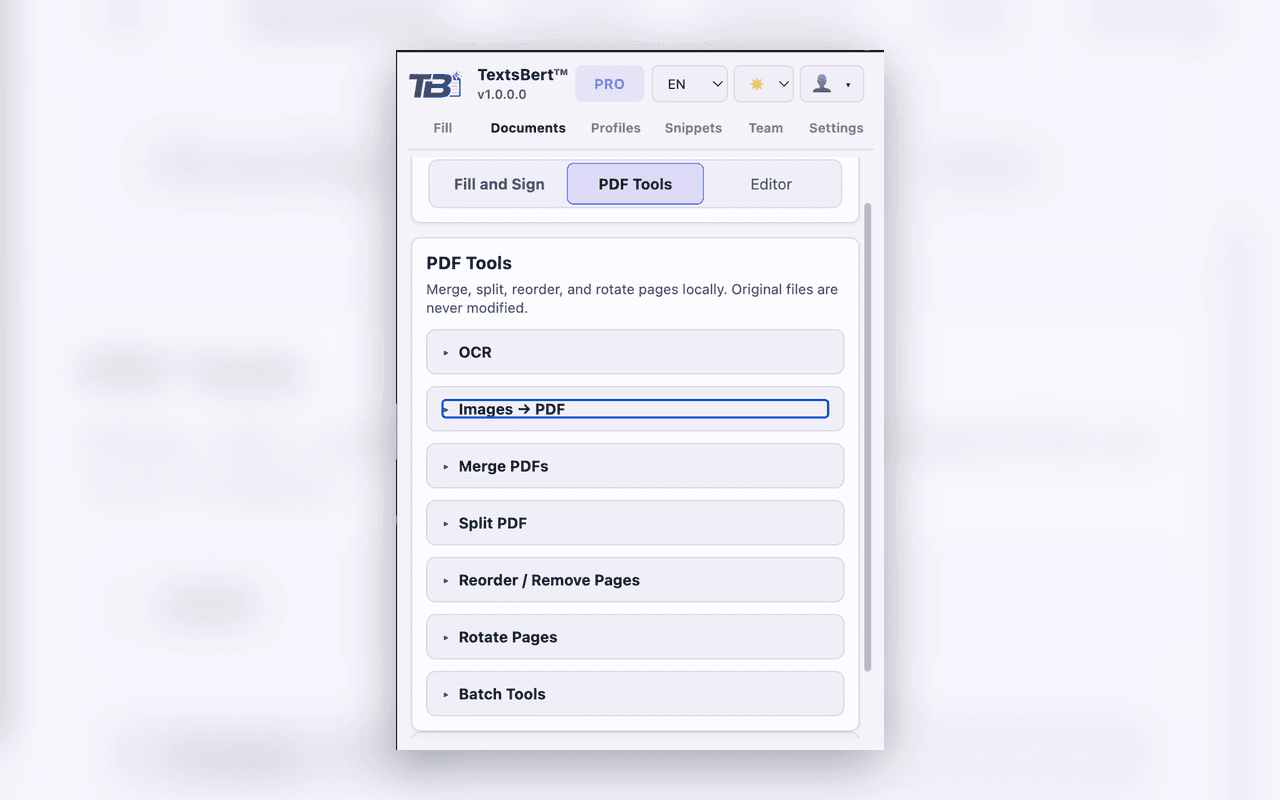
PDF tools and document prep
→Prepare, organize, convert, and clean up documents before you send them out.
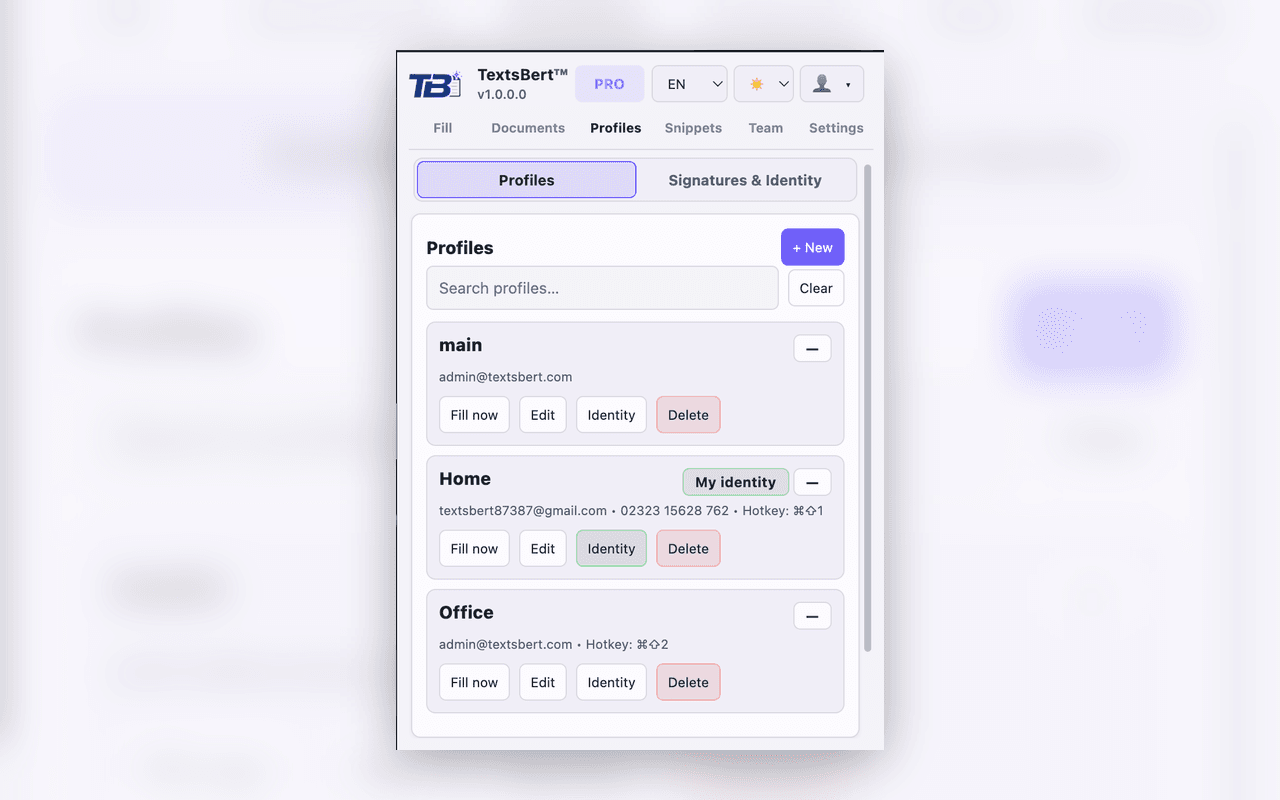
Profiles and reusable identity
→Keep business details, logos, and signatures ready for repeat work.
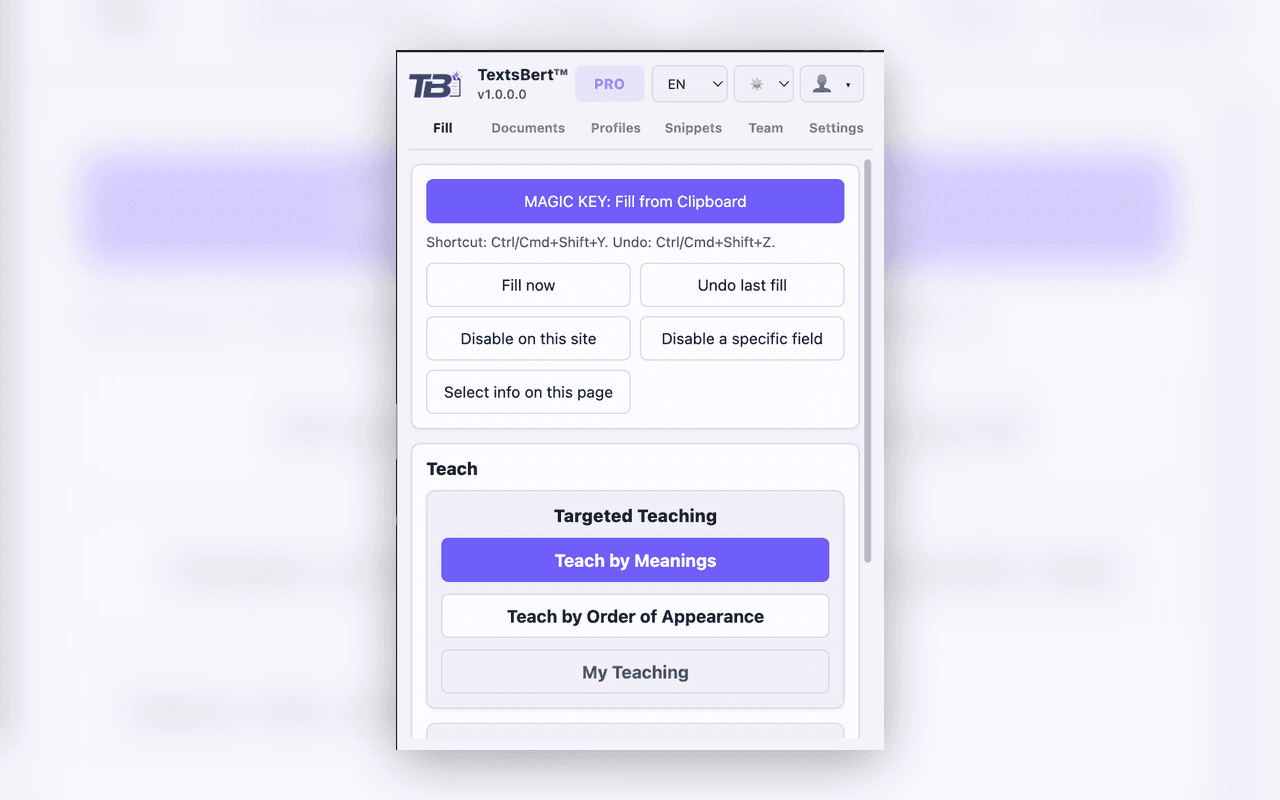
Fill from real page data
→Paste copied data into real forms with fill-only behavior and clear review.
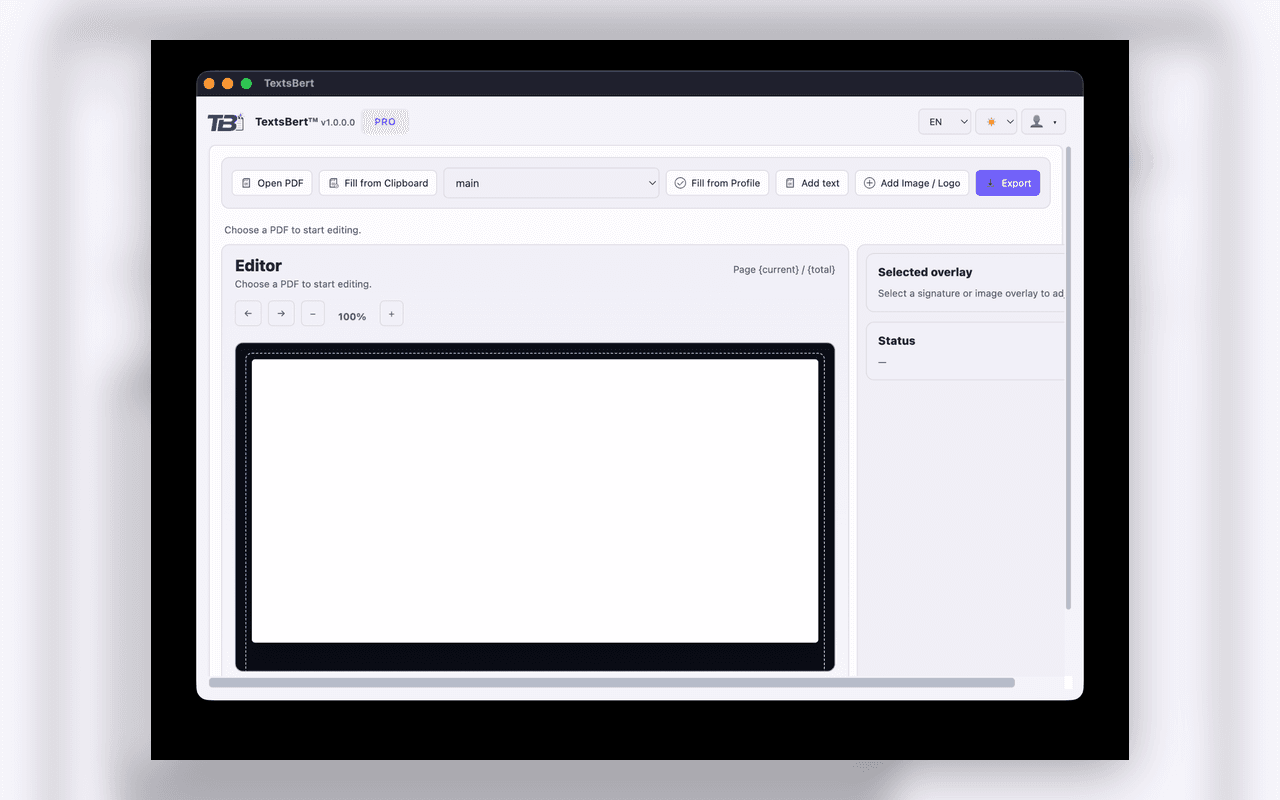
Document editor in action
→Review pages, place content accurately, and export a polished new file.
Local-first for the work. Account control where it belongs.
TextsBert keeps form filling and document work under your control, while billing, devices, and workspace access stay easy to manage.
- Local-first processing for core fill and document workflows
- No cloud AI dependency required for the core value proposition
- Original files remain unchanged; new outputs are exported intentionally
- Billing, devices, workspaces, and plan status stay managed in your account
- Team sync can be encrypted and data-minimized as collaboration expands
Where the workflow earns its place
- Supplier onboarding and B2B portals
- Invoices, confirmations, and repeated paperwork
- CRM, ERP, and internal admin screens
- Shipping, billing, and registration flows
- Scanned paperwork and OCR-heavy cleanup
- Support replies, notes, and repeated business text
Start free, then move to Pro when the workflow earns it.
Free is for proving the workflow with real forms and documents. Pro is for the teams, documents, reusable data, and account control that save time every week.
- Free for the core workflow
- Pro for documents, reusable data, and team-ready setup
- Billing, devices, and access managed from your account
Questions before you bring it into real work?
What is TextsBert™?
TextsBert is a local-first forms and documents workflow product. It helps you move from copied details and source files to completed forms, prepared PDFs, and repeated business output with review still in your hands.
Does TextsBert submit forms for me?
No. It fills fields and prepares outputs. Final submit and final confirmation stay with the user.
Can it work with PDFs, not only forms?
Yes. TextsBert supports PDF filling, editing, signing, export, and document preparation as part of the product.
What are profiles, snippets, and Saved Field Rules?
Profiles hold repeated personal or business details. Snippets hold repeated text. Saved Field Rules remember how unusual fields should be handled on portals or forms you use again, including what TextsBert learned from teaching flows such as Teach with Examples, Teach What Text Means, and Teach Fill Order.