

Normal Auto Fill gives saved browser data a better home.
Use Normal Auto Fill when names, addresses, billing details, company records, and site-specific rules should stay ready in a way that feels like a real upgrade over native browser autofill.
This page explains where this workflow fits inside TextsBert and how the PDF side stays reviewable, stays on your machine during the work, and stays connected to the same TextsBert account.
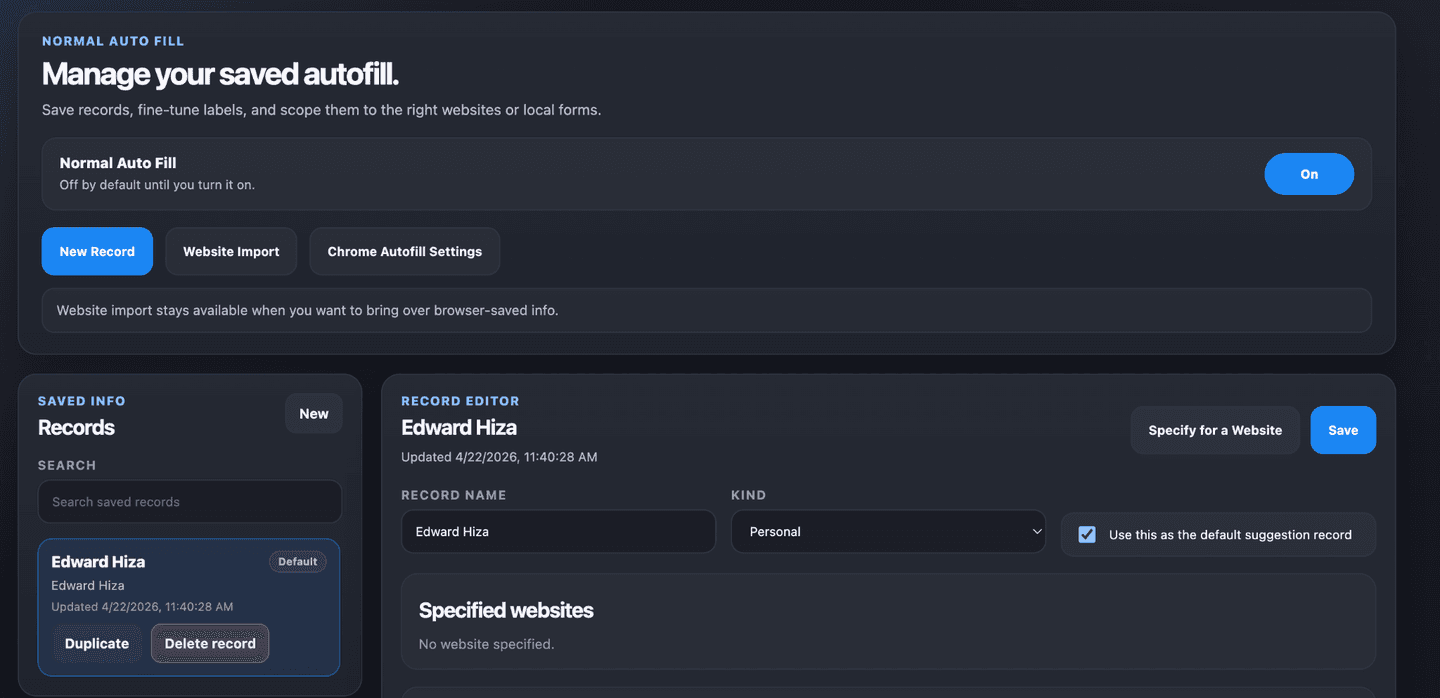
What Normal Auto Fill improves
The native browser can remember basic values, but repeated business work usually needs more control than that. Normal Auto Fill keeps the saved layer cleaner, more deliberate, and easier to trust.
- Keep repeat records ready for names, addresses, billing, and company details
- Use exact URL rules when one site needs stricter matching than another
- Treat saved browser data like a proper working layer instead of a browser afterthought
Why it feels like an upgrade
The improvement is not only that the data is saved. The improvement is that the data stays organized around real work, not just around generic browser memory.
- Free and unlimited from the start
- Helpful on repeated business forms, internal systems, and supplier portals
- Works well alongside local file pages and the hosted import path
How it fits the rest of TextsBert
Normal Auto Fill covers the stable side of the workflow. Magical Fill covers the moving side. Profiles, snippets, and Sync then keep the whole system connected without making it feel busy.
- Use Normal Auto Fill for stable saved details
- Use Magical Fill when copied input changes case by case
- Use encrypted Sync with PRO when the same setup should stay together across devices