

How TextsBert handles saved details, copied text, and visible review.
Smart Auto Fill covers the saved details you reuse. Magical Auto Fill covers copied text that changes every time. Profiles, Snippets, Sync, and PDF Auto Fill support the rest of the workflow.
That simple split is what makes TextsBert feel faster than both manual rebuilding and rigid browser autofill.
The product gets clearer when each part keeps its own job.
You do not need to think about every feature at once. Start with the lane that matches the task in front of you.
Smart Auto Fill
Use it when your own saved records are enough.
- Best for names, addresses, billing details, and repeat records
- Works with site rules, exact URLs, and local files
- A real upgrade over native browser autofill
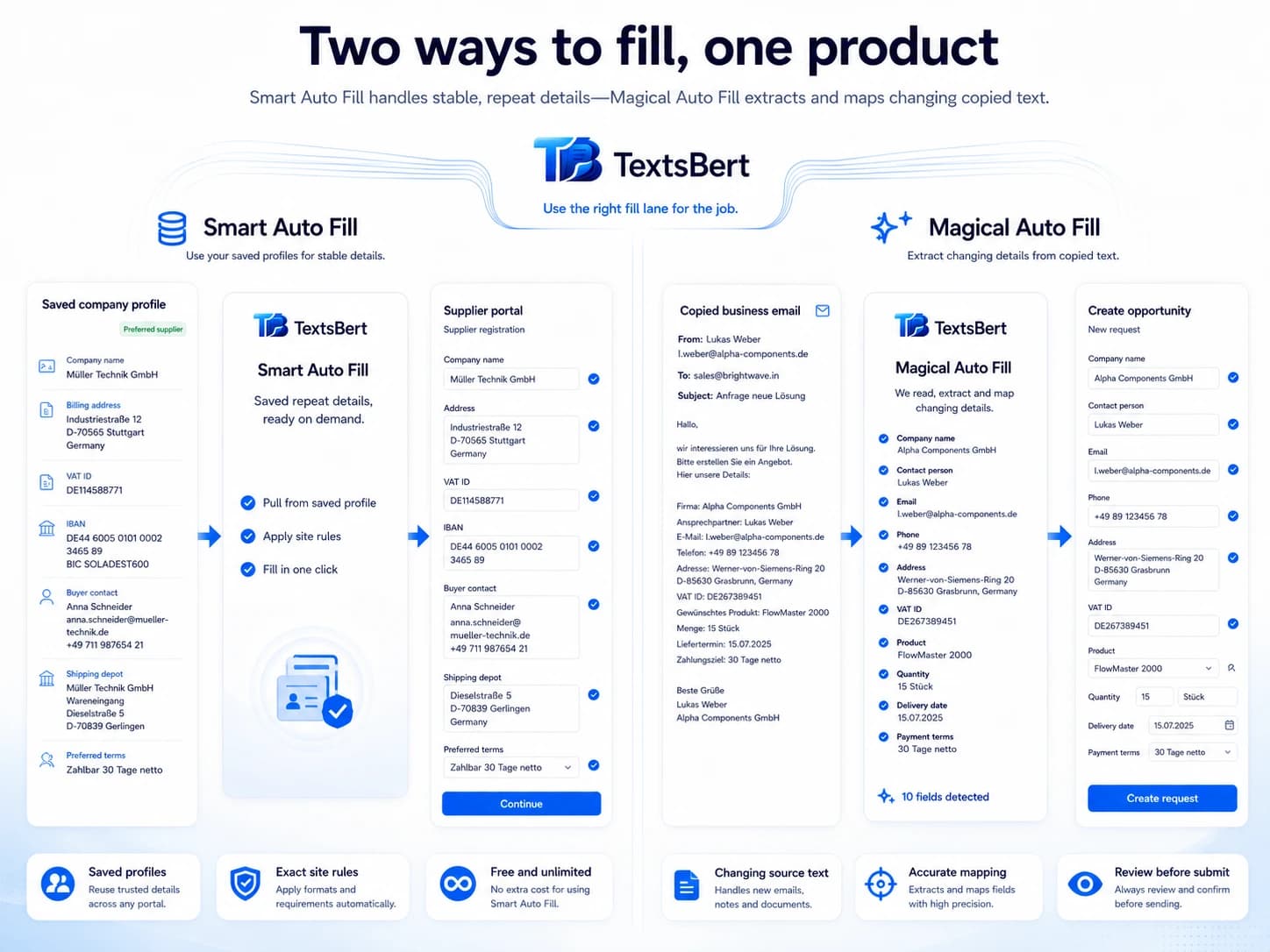
Magical Auto Fill
Use it when the incoming text changes from case to case.
- Built for copied text from emails, portals, notes, and invoices
- Magical Key gives fast fill-from-clipboard access
- Review stays visible before the final action
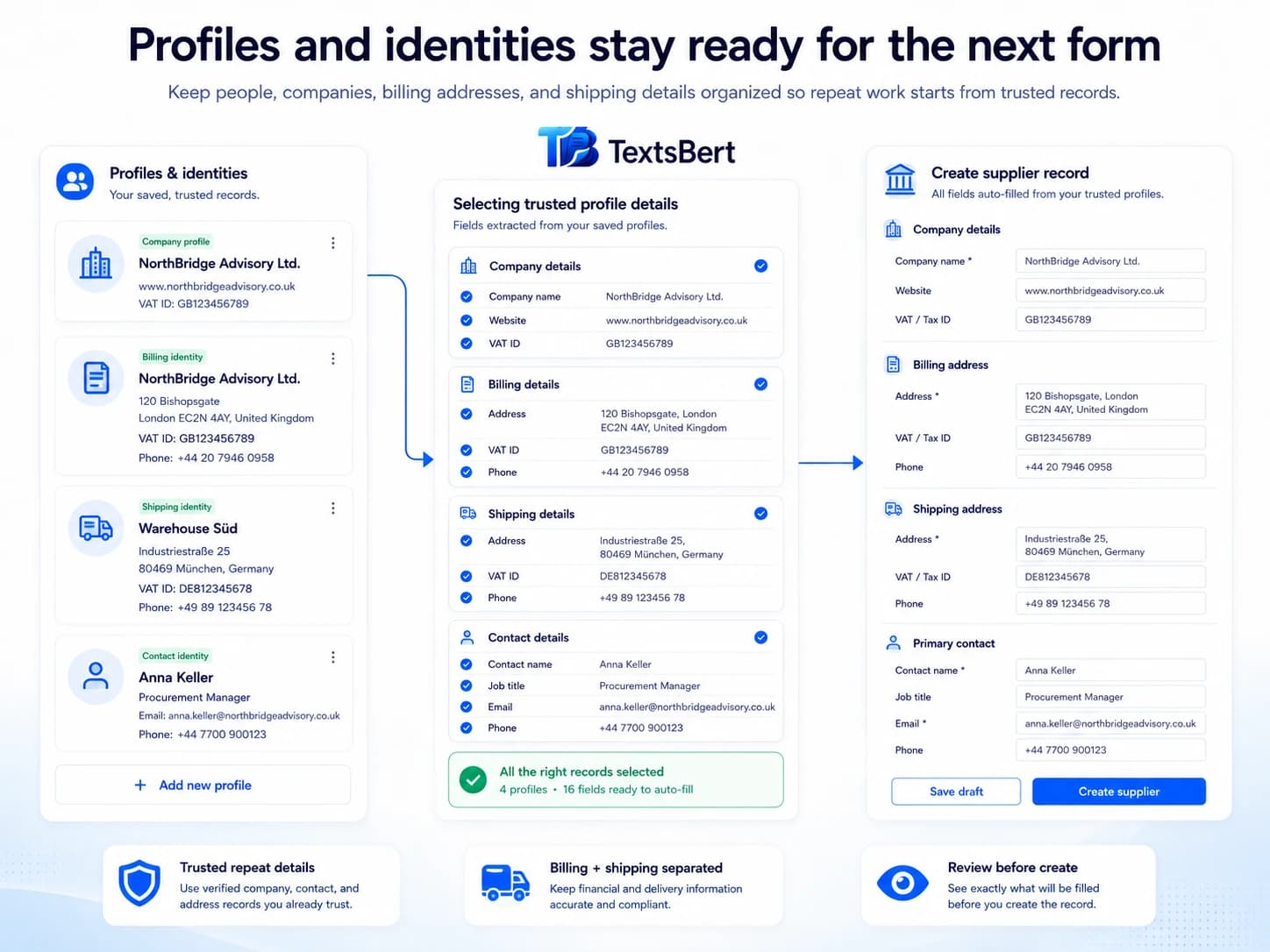
Profiles and Snippets
Use them when the work repeats even if the source does not.
- Keep people, companies, and approved wording ready
- Teach keeps sharpening the product over time
- Both fill lanes get lighter when context is already saved
The workflow is short on purpose.
TextsBert works best when the right information is already near the task and the final decision stays visible.
1. Save or import the stable details you reuse.
Smart Auto Fill records, profiles, snippets, and the hosted import page cover the repeat information you want ready.
2. Copy the incoming text when the case changes.
When every email, invoice, or portal screen arrives a little differently, Magical Auto Fill is the lane that takes over.
3. Trigger the fill lane that matches the task.
Use Smart Auto Fill for saved records, Magical Key or the page action for changing copied text, and profiles to keep reusable context close.
4. Review, adjust, or undo if needed.
TextsBert stays helpful because the result stays visible instead of racing straight past the user.
5. Continue into PDF Auto Fill or Sync when the task needs it.
The same product can keep going into fillable PDFs, backup, restore, and optional continuity without breaking the workflow.
Speed is only useful when control survives.
TextsBert keeps the workflow fast without turning it into a blind automation box.
Smart Auto Fill starts off by default.
Final submit always stays with the user.
Undo and site controls stay close at hand.
Sync stays optional and encrypted.
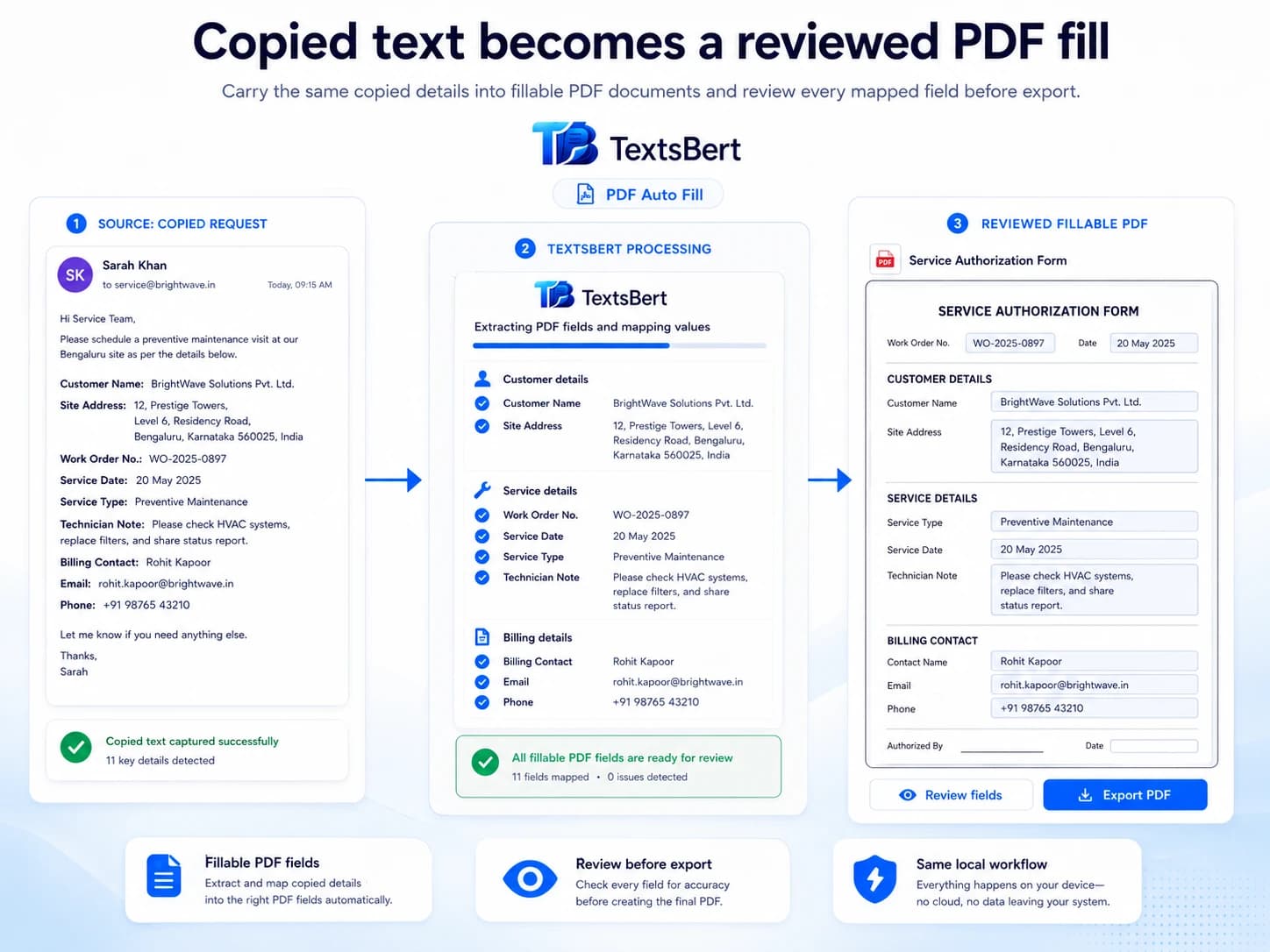
PDF Auto Fill is the continuation, not a detour.
When the job lands in a fillable PDF, TextsBert keeps the same review-first rhythm. PDF Auto Fill only applies to fillable PDF forms that need review before export.
- Free: 1 successful PDF Auto Fill export per day
- PRO: full PDF Auto Fill for fillable PDFs
- PRO: focused PDF Auto Fill for fillable PDFs