


TextsBert is Featured on the Chrome Web Store.
Fill Excel sheets from copied text and saved details.
Excel Auto Fill is the spreadsheet continuation of TextsBert: use copied text, profiles, and saved business data to complete Excel fields while keeping review visible before export.


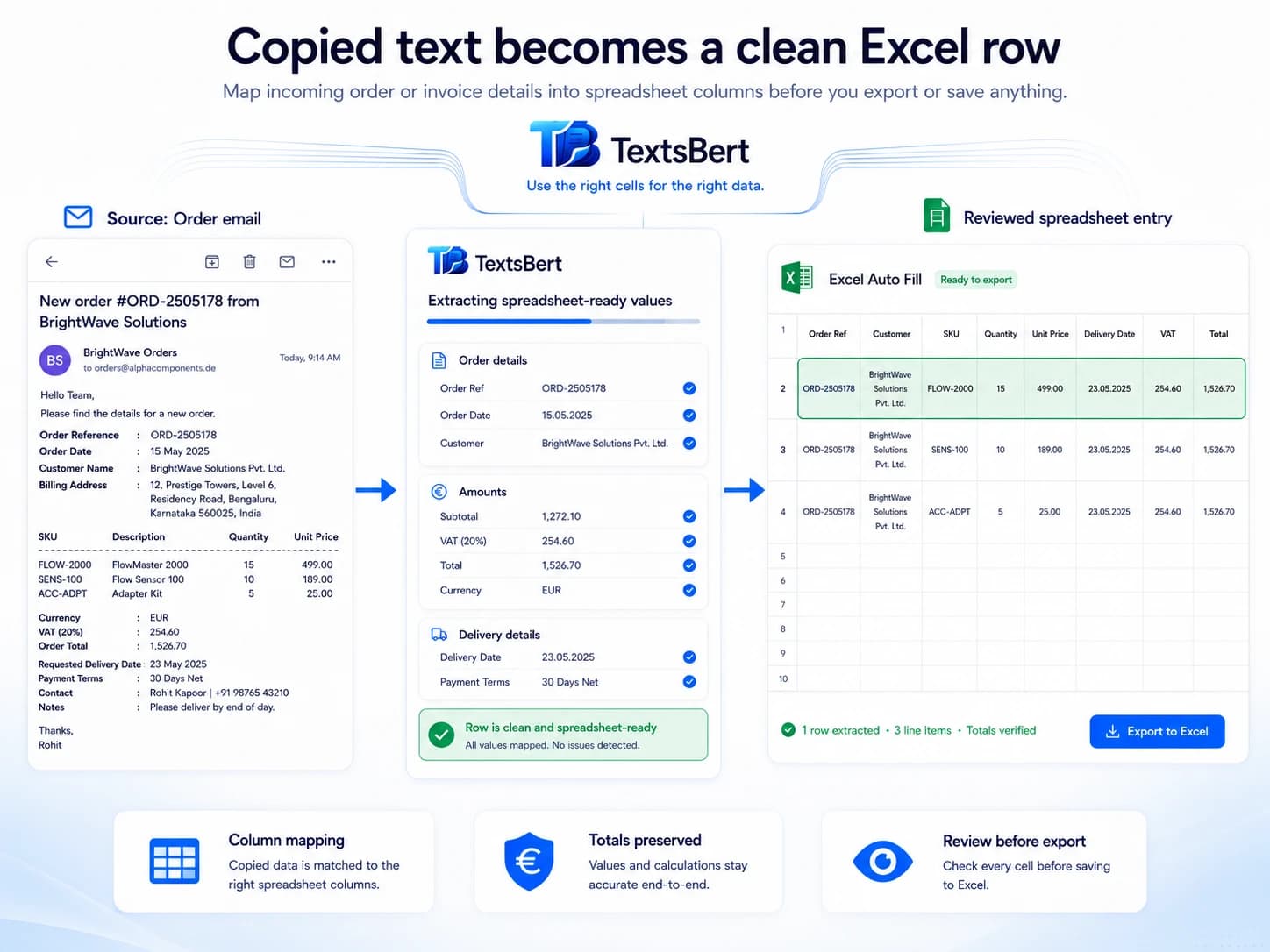
Excel Auto Fill keeps spreadsheet work close to the same workflow.
The Excel path is for structured spreadsheet entry that follows the same copied-text, saved-data, review-first rhythm as browser forms and fillable PDFs.
For structured spreadsheet fields
Excel Auto Fill helps when the sheet already has places where changing business details need to land.
- Customer and vendor rows
- Invoice and order details
- Blank beats wrong when confidence is low
From copied or saved data
Use the same source text, profiles, snippets, and saved company details that already support the browser workflow.
- Copied emails and notes
- Saved business profiles
- Useful when browser work continues into Excel
Review before export
The spreadsheet result stays visible before export, so the user keeps final responsibility for the file.
- No silent export
- User checks the result
- Useful for internal and customer-facing spreadsheets
Excel Auto Fill is not a full spreadsheet editor.
The Excel side exists for filling structured workbook fields from copied text and saved data in the same controlled TextsBert workflow.
Use Excel Auto Fill when the form becomes a spreadsheet.
Start with the browser extension, keep the same controlled workflow, and use Excel Auto Fill when the same changing business details continue into Excel.