

Feature detail · Feature library
Encrypted Sync keeps the setup together without taking over the workflow.
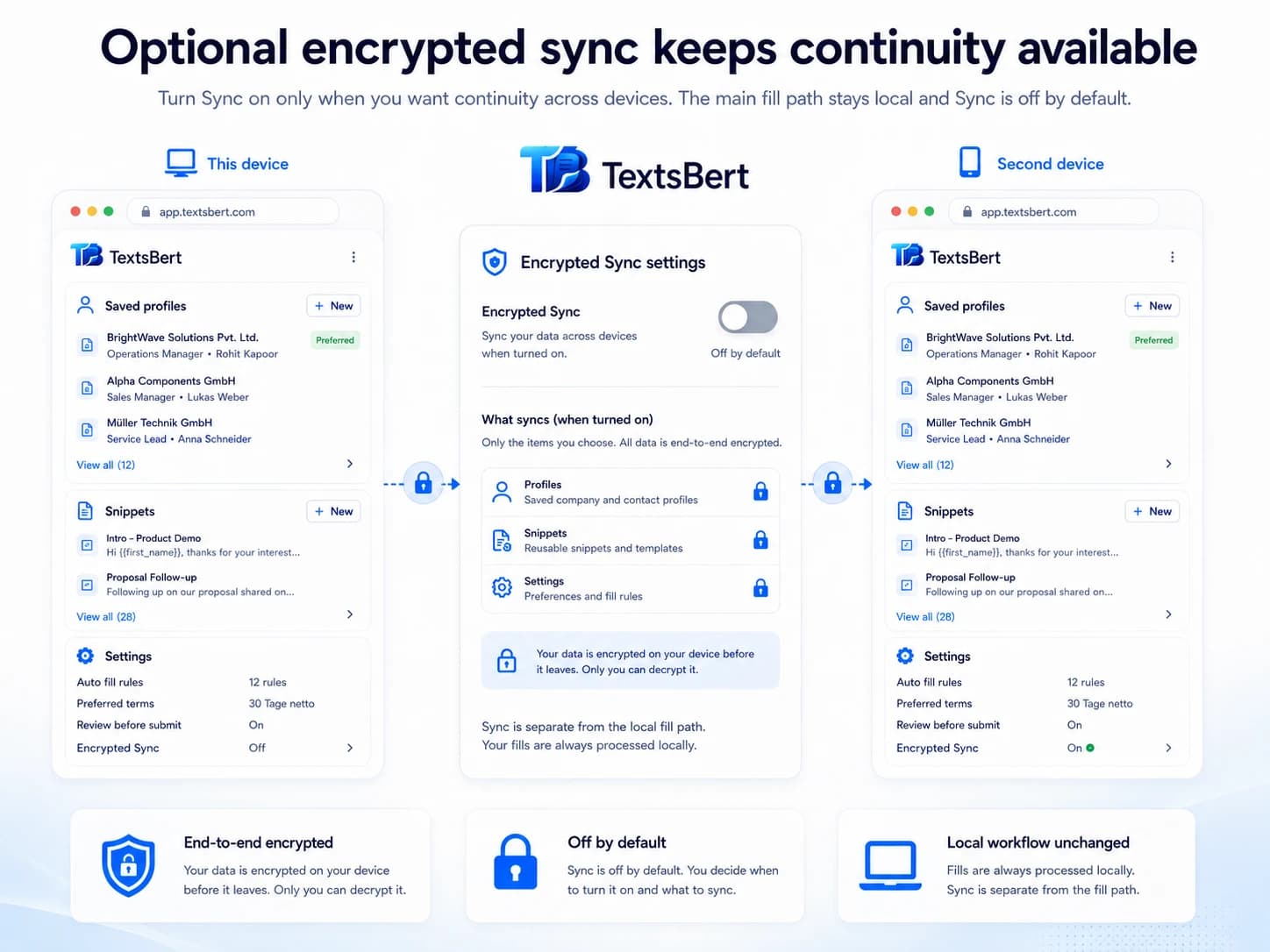
Use encrypted Sync when profiles, saved records, snippets, and repeat setup should stay consistent across devices while filling stays local.
Included with PROEncryptedCiphertext onlyCross-device continuity


Encrypted Sync is the continuity layer around the TextsBert browser workflow.
This page explains how local backup, export, and import keep reusable TextsBert setup portable without turning recovery into invisible background syncing.
01
What Sync is there to do
Sync is there to keep the setup together. It is not there to replace the browser workflow itself or turn the product into something remote-first.
- Keep saved setup consistent between devices
- Support backup, restore, and continuity around the main work
- Stay optional instead of becoming a second product layer you have to manage all day
02
What stays local
TextsBert still keeps the everyday form work close to the user. Sync supports the saved setup around that work instead of taking over the main processing path.
- Smart Auto Fill imports stay local to the extension
- The backend stores ciphertext only
- The browser rhythm stays centered on the page and the user’s review
03
Why it matters that Sync stays inside PRO
When Sync stays inside PRO instead of becoming a separate add-on, the setup feels cleaner once the paid side matters.
- Included with PRO
- Useful for people who work across more than one device
- A natural support layer for Smart Auto Fill, Magical Auto Fill, profiles, and snippets
Related pages