

Help copied details land in the fields that actually mean them.
Form labels are often short, vague, duplicated, or just odd. Smart Field Matching is the TextsBert layer that reads the page context and helps decide where each usable detail belongs.


A form can have three address boxes, two contact fields, and one internal reference that looks like a customer number. TextsBert is built to treat that context as part of the work, not as decoration.
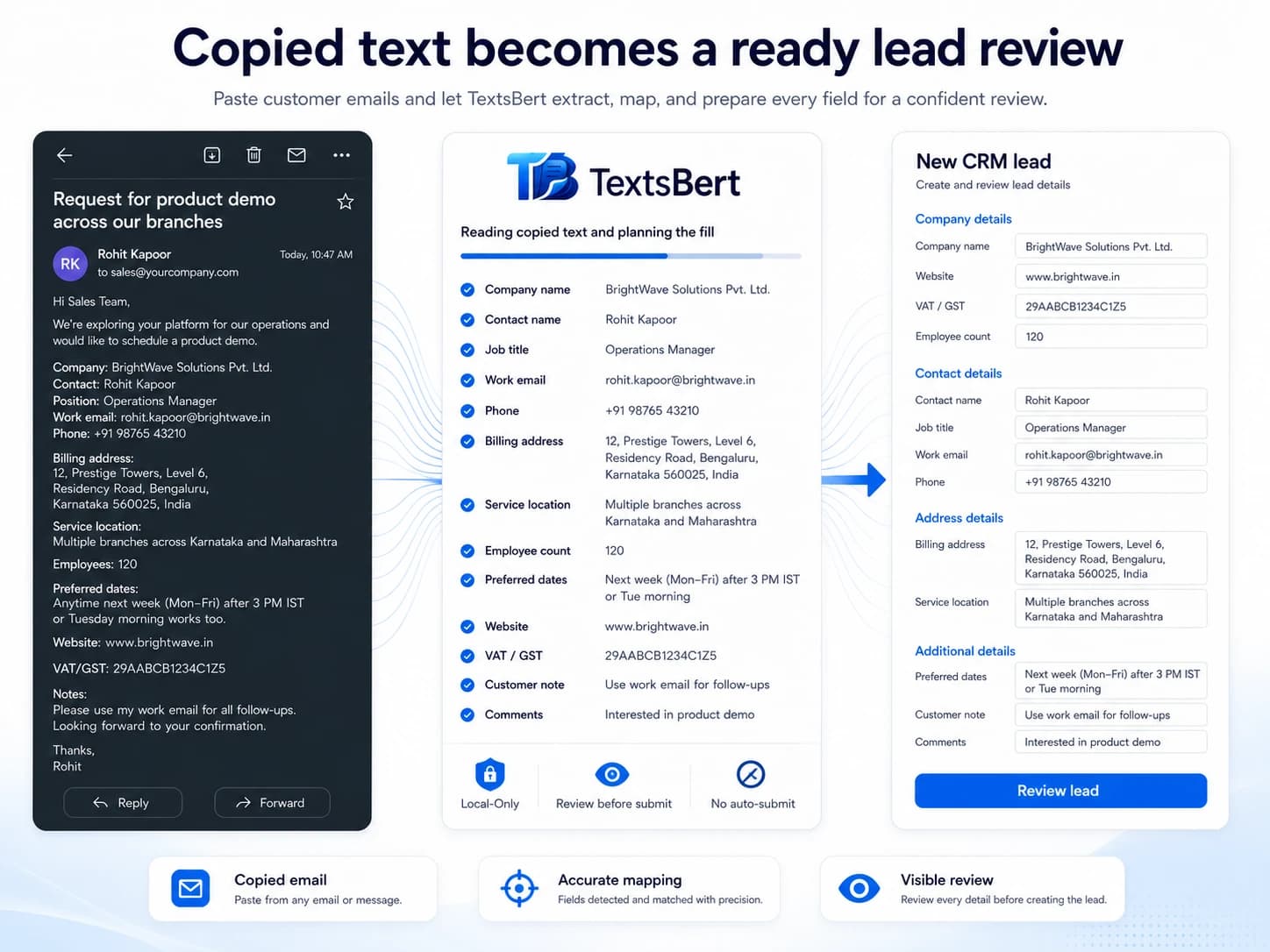
The same word can mean different things in different fields.
A simple label like address is not enough. The surrounding field names, page text, saved rules, and source details all help decide whether this is billing, delivery, service, or contact information.
Please invoice Nordlicht Eventtechnik GmbH at Holstenwall 12, Hamburg.
Delivery goes to the stage warehouse at Wendenstraße 309, Hall 3.
Felix Marlow is the contact for the order.
Reference NE-6301845, VAT ID DE300772641.
Reads more than the input box name.
Real forms are not consistent. A field name, placeholder, nearby label, section title, saved rule, and learned meaning can all matter. Smart Field Matching is about combining those clues instead of trusting one brittle hint.
- Uses page labels, field names, nearby context, and form sections
- Works with saved behavior when a portal repeats the same awkward pattern
- Supports Teach and Correct This Fill when a field needs a human lesson
Designed for business fields, not only personal autofill.
Business forms contain VAT IDs, order references, billing contacts, delivery locations, departments, cost centers, and notes. That is not the same problem as remembering one home address.
- Handles separate company, person, address, product, and reference details
- Keeps billing, delivery, service, and contact meaning apart where the form allows it
- Pairs well with profiles for stable company details and Magical Auto Fill for changing case data
Review stays part of the matching story.
Good matching does not remove the human. It reduces the boring transfer work and leaves the final check visible, especially when the form is important.
- Review before submit supports trust
- No Auto-Submit
- Corrections can become reusable lessons
- Unclear or unusual forms can be improved with saved rules and teaching
Less guessing, more context.
Against manual copy-paste
Fewer tab switches and fewer tiny decisions about which phrase belongs in which field.
Against native autofill
Better support for business context, repeated portals, and changing copied details.
Against blind automation
The prepared result stays reviewable, and user corrections can guide later fills.
Answers that matter before install.
What is Smart Field Matching?
It is the TextsBert layer that helps connect source details to form fields by reading field labels, page context, saved behavior, and user-approved corrections.
Does it work only with English forms?
No. TextsBert supports multilingual form work where source text, business wording, and browser forms mix languages.
Can I correct a bad match?
Yes. Correct This Fill, Teach a Meaning, Teach a Pattern, and saved field behavior are built for repeated edge cases.
Does matching mean the form is submitted automatically?
No. Matching prepares fields for review. The user remains responsible for the final action.
Why does smart matching deserve its own explanation?
Because matching is the difference between useful autofill and noisy field stuffing. Users should understand how TextsBert reads context before they trust it with real forms.
Open the next page that matches the question.
Make form filling depend on meaning, not luck.
Use TextsBert when copied details need to land in fields that actually match the job.
TextsBert™ · Labels and context · Saved behavior · Teach support