

Pull useful form details out of real business emails.
Customers and suppliers do not write in database rows. They send messages. TextsBert helps identify the useful details inside copied email text and prepare them for reviewed browser forms.


This page explains the extraction capability behind the email-to-form workflow: finding the details that matter and keeping them connected to field meaning.
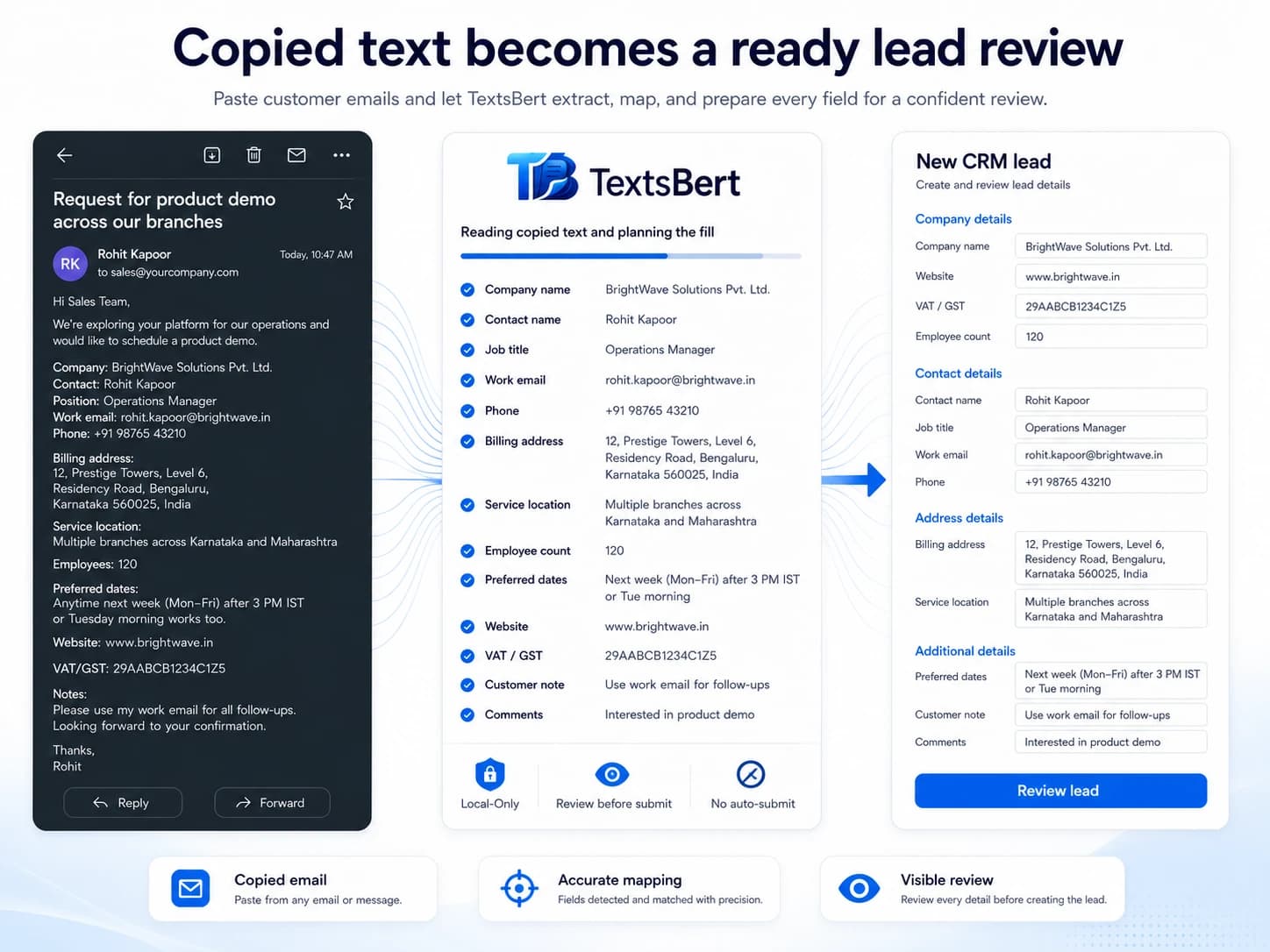
Extract the business facts, not the whole message.
TextsBert does not need the email to be a perfect list. It looks for useful details and prepares only the parts that can help the form.
From: Tara Mitchell <t.mitchell@westbridge-medlog.de>
Subject: Label printers for Essen cold storage
Please order 28 Dymo LabelWriter 550 Turbo units for Westbridge Medical Logistics GmbH.
Invoice address: Bismarckstraße 88, 6th Floor, 40210 Düsseldorf.
Deliver to Westbridge Cold Storage Essen, Hafenstraße 184, Zone C, 45356 Essen.
Customer ID WB-3387051. Henrik Vollmer supervises this purchase.
Built for the way emails are actually written.
People mix greetings, context, details, corrections, delivery notes, and signatures. Email Details Extraction helps TextsBert focus on the parts that can become useful form input.
- Recognizes contacts, companies, emails, phones, order details, IDs, and addresses
- Can handle details embedded in paragraphs instead of clean tables
- Separates the useful data from the polite email wrapper
Extraction is not the same as submission.
The goal is not to act behind the user. The goal is to prepare a fill draft from the copied text and keep the user in the review loop.
- User copies or selects the source text
- TextsBert prepares fields in the browser
- The form is reviewed before the user submits it
Useful for admin, sales, support, logistics, and service work.
Any team that moves details from email into portals or forms can feel the drag. The feature is especially clear when details change often and the destination is structured.
- Customer intake and CRM fields
- Supplier orders and vendor portals
- Service requests, delivery notes, and internal admin forms
This page explains what the product detects.
Input
Human-written emails, not only structured lists.
Output
Useful details prepared as form-ready values.
Boundary
No auto-submit, no mailbox takeover, and no cloud AI required for the fill step.
Answers that matter before install.
Does TextsBert connect to my mailbox?
No. This feature is about copied or selected email text, not mailbox access.
Can it read messy emails?
It is designed for realistic business emails. Clearer writing usually improves the result, but the email does not need to be a perfect template.
What details can it extract?
Typical details include names, companies, emails, phone numbers, addresses, order references, products, quantities, IDs, dates, and notes.
Does extraction happen in the cloud?
The fill workflow is designed around Local-Only processing. No cloud AI is required for the fill step.
Is this different from the email-to-form use case page?
Yes. The use case shows the workflow. This page explains the extraction capability behind it.
Open the next page that matches the question.
Stop treating every email like manual data entry.
Copy the message, trigger TextsBert, and review the useful details before they enter the form.
TextsBert™ · Copied email text · Names and companies · Addresses and IDs