

Two addresses. One form. Less copy-paste theatre.
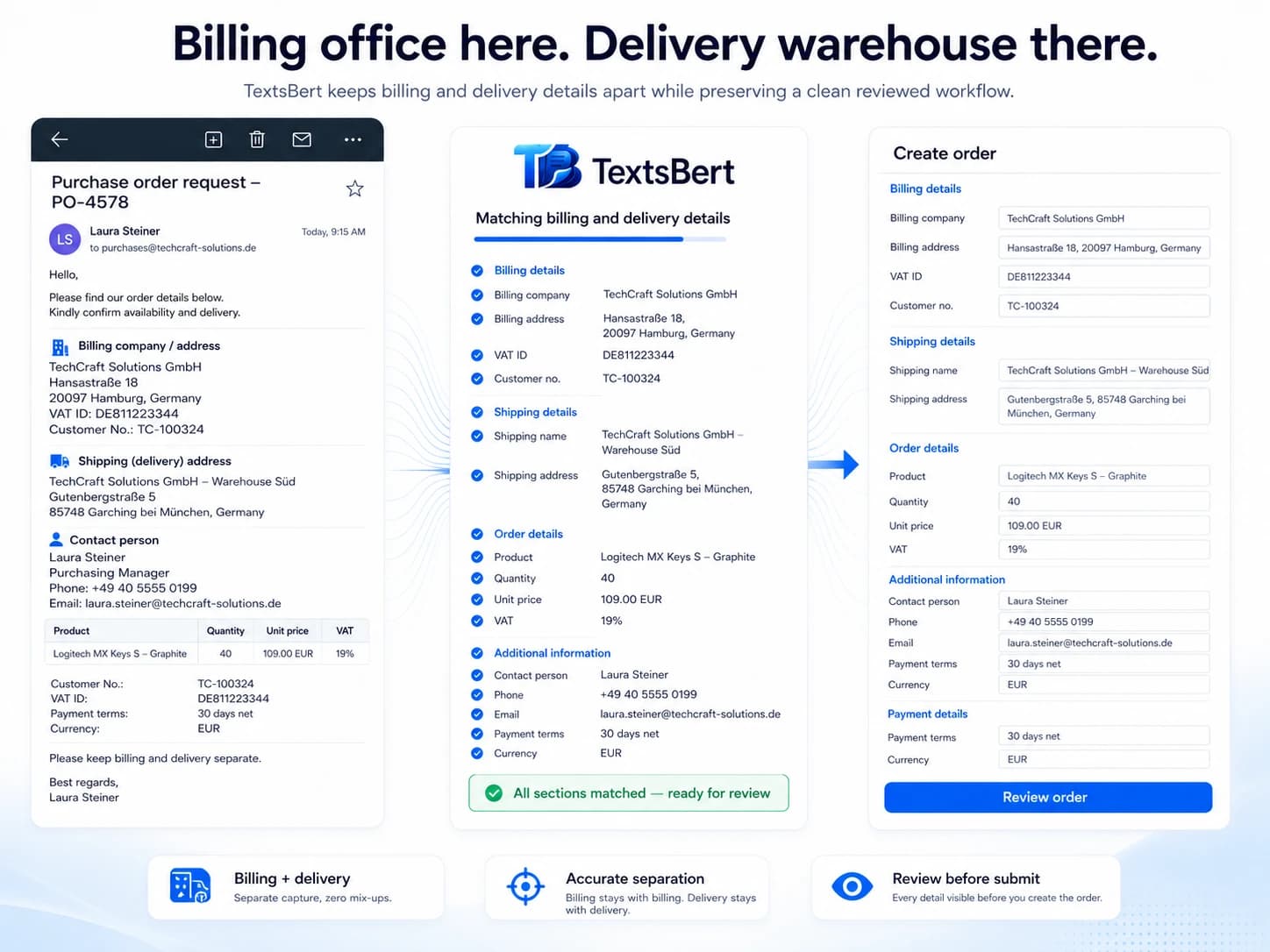
Copy the whole customer email. Trigger Fill. Review the prepared billing address, delivery address, contact, tax and reference fields before you submit. TextsBert is built for the everyday mess where the invoice goes one place and the delivery goes somewhere else entirely.


Customer address update email
Subject: Different billing and delivery address for order NF-80419

Hello,
please use the details below for the next shipment. The invoice should stay with our main office, but the goods need to go directly to the project site.

Billing: Nordfeld Engineering GmbH, Finance Office, Altonaer Straße 44, 2nd Floor, 20357 Hamburg. VAT ID DE312405778. Main contact for billing is Marta Klein, m.klein@nordfeld-engineering.de, +49 40 8829146.

Delivery: Nordfeld Wind Project Yard, Tor 3, Hafenstraße 18, 25746 Heide. Please address it to Jonas Brandt. His mobile number is +49 171 4429081. Delivery window: Tuesday between 08:00 and 12:00.

Our internal order reference is NF-80419-WIND. Please add the note: unload at Gate 3, call before arrival.

Thanks,
Marta Klein
Nordfeld Engineering GmbH
Prepared address form
Billing address
Delivery address
Contacts and references
Two addresses, three contacts, one form, and somehow it is still your problem.
Billing and delivery details rarely arrive as a neat table. They arrive as a normal email, with one address in the middle, another in the next paragraph, a contact person hiding near the note, and a portal waiting to be fed field by field.
Billing and delivery addresses have to stay separate without slowing down the whole order.
The useful details are mixed with notes, delivery windows, contacts, and internal references.
The form still needs a final human review, because addresses are boring only until a shipment goes to the wrong place.
Whole email in. Address fields prepared for review.
TextsBert can work from the full copied message and prepare the billing and delivery fields that match the browser form. No tidy spreadsheet required.
Billing details
The invoice side of the email can become billing company, address, department, VAT ID, and billing contact fields.
Delivery details
The delivery side can stay separate, including project sites, gates, floor notes, delivery windows, and on-site contacts.
References and notes
Order references and delivery instructions can travel with the fill instead of getting lost in the email scroll.
Copy the whole email. Trigger Fill. Keep the final say.
The workflow is meant to handle normal business emails, not only tidy little data blocks. TextsBert reads the copied message locally and prepares the fields that match the billing and delivery form.
Copy the whole email
Highlight the full message instead of hunting for a perfect data block. Greetings, notes, signatures, references, and extra context can stay in the copy.
Open the browser form
Go to the portal, CRM, admin screen, order form, or internal browser tool where the details need to land.
Trigger Fill
TextsBert works from the copied email on your device and prepares matching fields from the useful details inside it.
Review and submit yourself
You keep the final look. TextsBert helps prepare the form; the submit button stays your decision, not a tiny software coup.
Clear copied details make form filling easier to review.
TextsBert works best when copied details are clear enough to review. Natural emails, structured notes, and portal text can all feed the same form filling workflow.
The email does not need a cloud tour to become a form fill.
In a very cloud-happy scene, TextsBert takes the local route where it matters: during the fill. Copied business content is handled on your device, the prepared form stays visible, and the final submit stays with you.
Add first. Then try it on a practice form.
Install TextsBert, allow it on the practice page if Chrome asks, copy the sample message, trigger fill, and review the result. Practice forms are there so the first run does not need real customer or supplier data.
Next pages for the same kind of form pain.
Email to form filling
The flagship workflow for copying a full customer email and turning it into a reviewed browser-form fill.
Supplier and vendor forms
Supplier details, tax references, bank data, and contacts often arrive in the same email soup.
Practice forms
Install first, then test TextsBert with safe sample data and browser forms built for practice.